Epson B-500DN Installation Guide Page 9
- Page / 24
- Table of contents
- BOOKMARKS

- Network Installation Guide 1
- Windows Network Connection 3
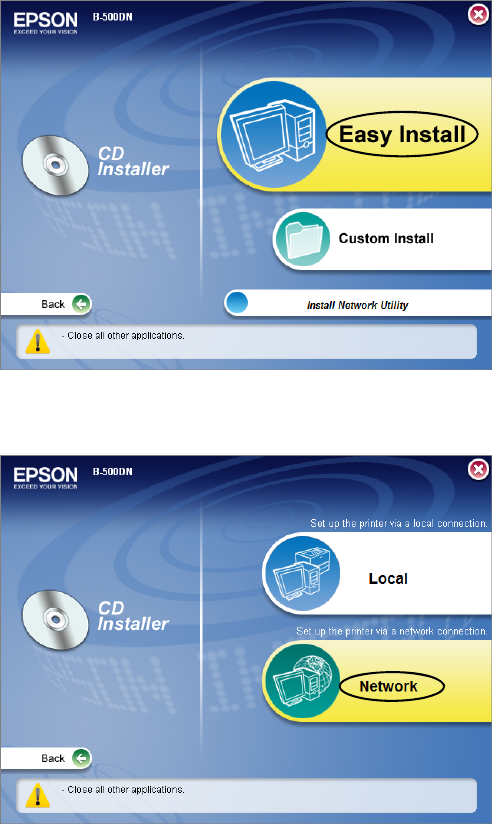
- 5. Click Easy Install 4
- Finish 6
- 13. Select 7
- Macintosh Network Connection 8
- Mac OS X installer icon 9
- Easy Install 9
- B-500DN and click Next 10
- Install Network Utility 11
- Add. You see 12
- Connexion réseau sous Windows 13
- Français 13
- Installation facile 14
- Débloquer 14
- Terminer 16
- Suivant 16
- 13. Sélectionnez 17
- Mac OS X 19
- 7. Cliquez sur 20
- B-500DN et cliquez 21
- Non. Si vous devez modifier 21
- © 2008 Epson America, Inc 24
- CPD27321 24
- Printed in XXXXX 24
- Pays d’impression : XXXXX 24
Related products and manuals for Unknown Epson B-500DN
 (24 pages)
(2 pages)
(24 pages)
(2 pages)
 (2 pages)
 (2 pages)
 (28 pages)
(16 pages)
(2 pages)
(15 pages)
(1 pages)
(2 pages)
(2 pages)
(46 pages)
(20 pages)
(116 pages)
(1 pages)
(1 pages)
(28 pages)
(16 pages)
(2 pages)
(15 pages)
(1 pages)
(2 pages)
(2 pages)
(46 pages)
(20 pages)
(116 pages)
(1 pages)
(1 pages)
© 2020, manymanuals.com. All rights reserved. | 0.306 s |
 Manymanuals.com
 Manymanuals.de
 Manymanuals.fr
 Manymanuals.it
 Manymanuals.pl
 Manymanuals.cz
 Manymanuals.es
 Manymanuals-pt.com
Comments to this Manuals